New: product custom forms
This is a better way to offer product personalization for your customers. Say you're a clothing store that offers custom sizing or a bakery that offers custom birthday cakes, this feature is for you! It's basically a form attached to your products, so customers can add their own personalized information.
How to create one
- Go to Dashboard > Products page on your dashboard and find the Custom forms tab. Click to create custom forms
- Enter the name of the trigger label. i.e what you want customers to see, so they can click to fill the form e.g "Enter custom size"
- Add the Field name and optionally the Field instruction e.g, "Height". The instruction should tell them what height is or how to measure height, e.g, "measure from head to toe"
- Add as many fields as you need for the product and save.
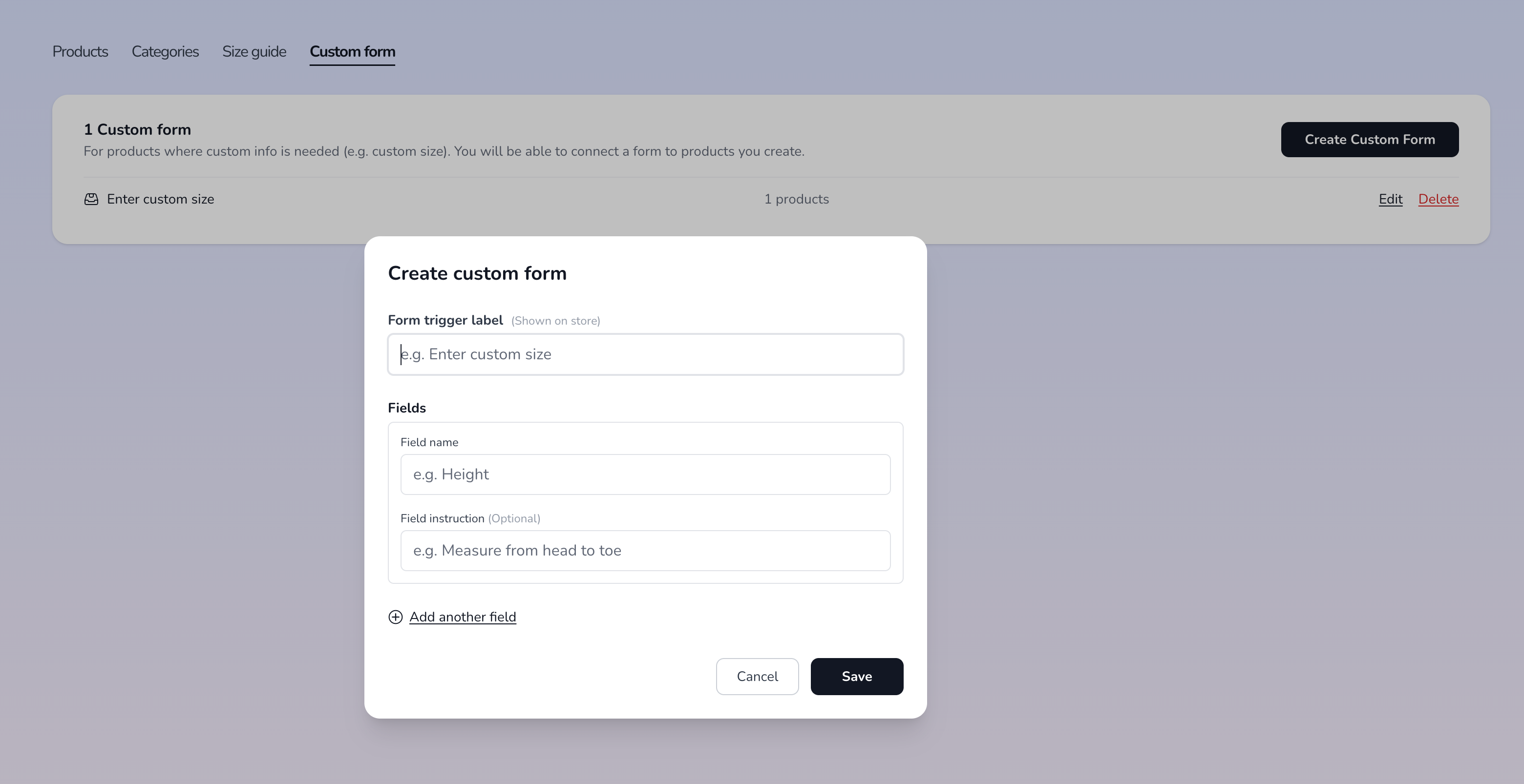
Go to products > custom form and then click to create custom form
How to use it across your products
There are two ways:
- For existing products, select products on the dashboard then assign the created form to it.
- For new products, your custom forms will show up in product creation. This only happens if you already have custom forms.
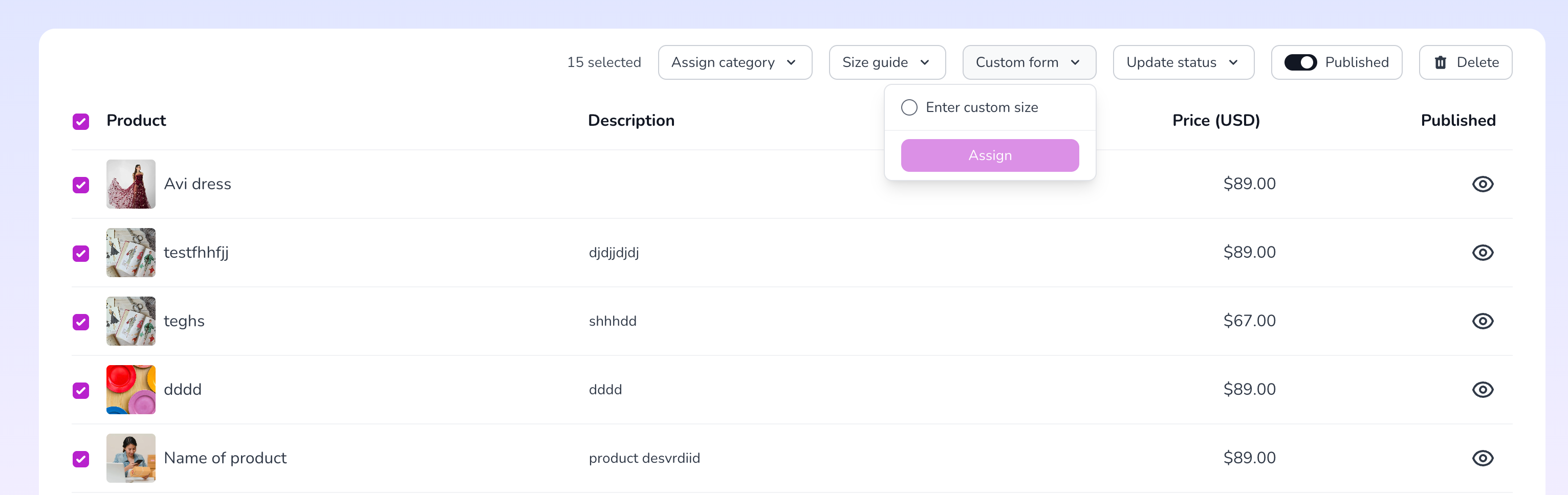
Select multiple products and assign a form to it
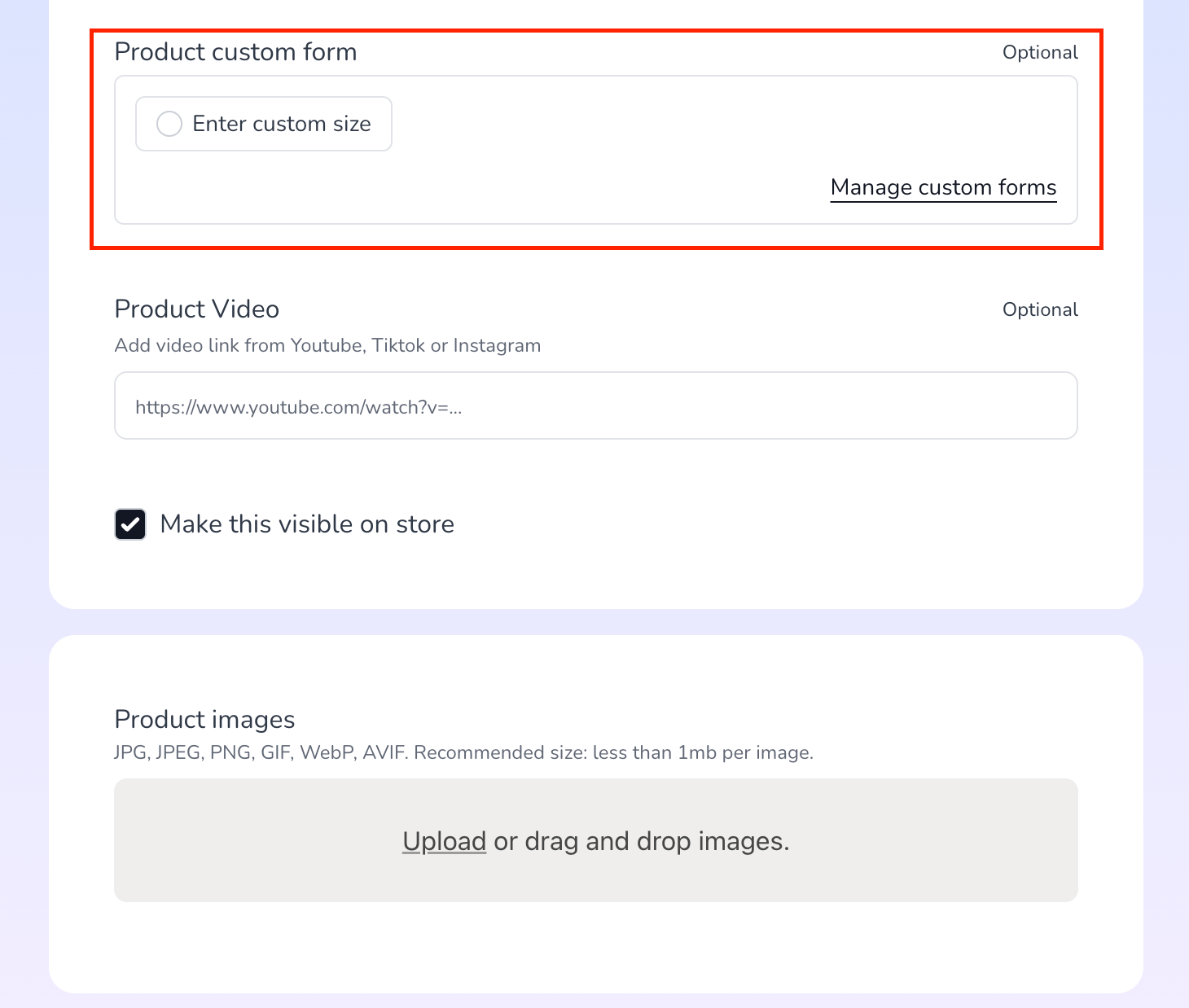
Or assign one during product creation
How it looks like on your store
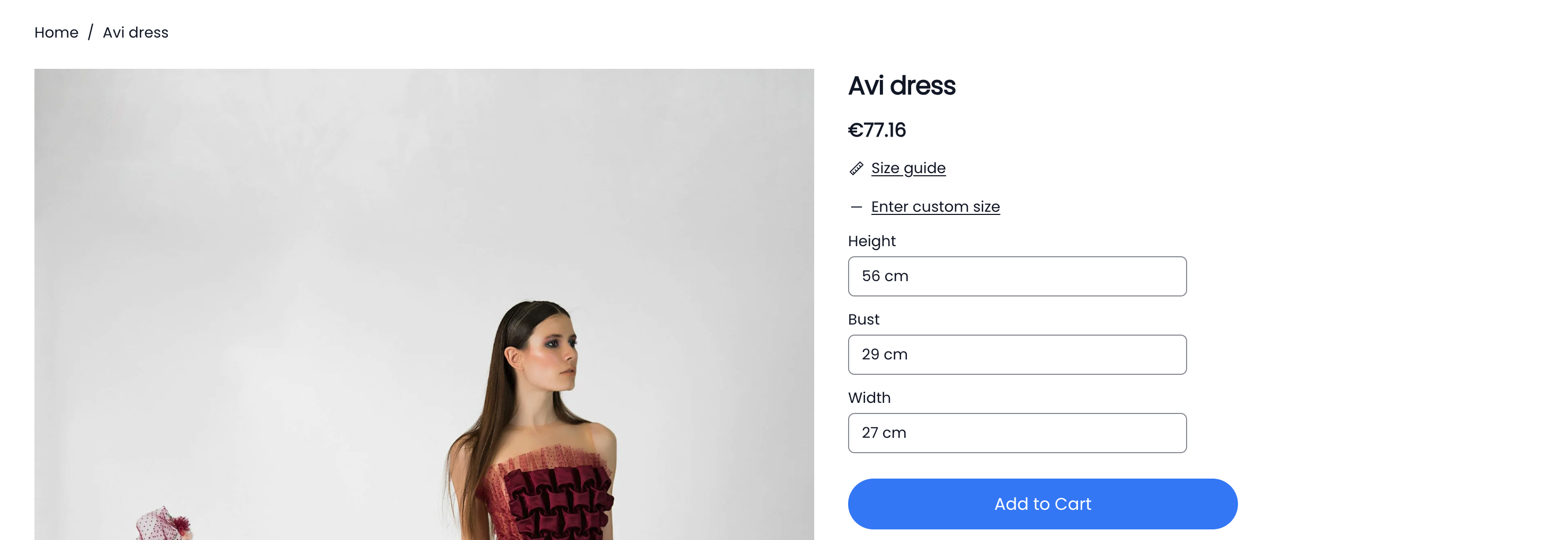
Your form trigger will show up in product details page for customers to be able to add form info before adding to cart.
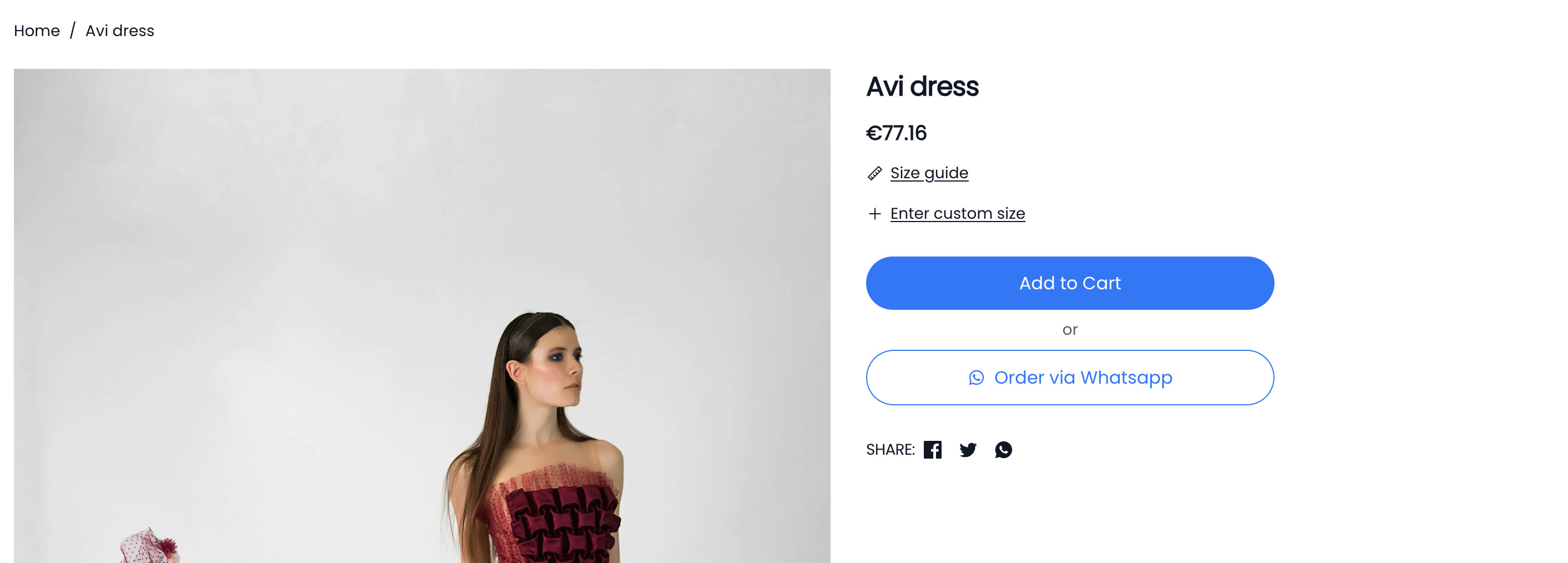
How it looks like before customer clicks on the form trigger
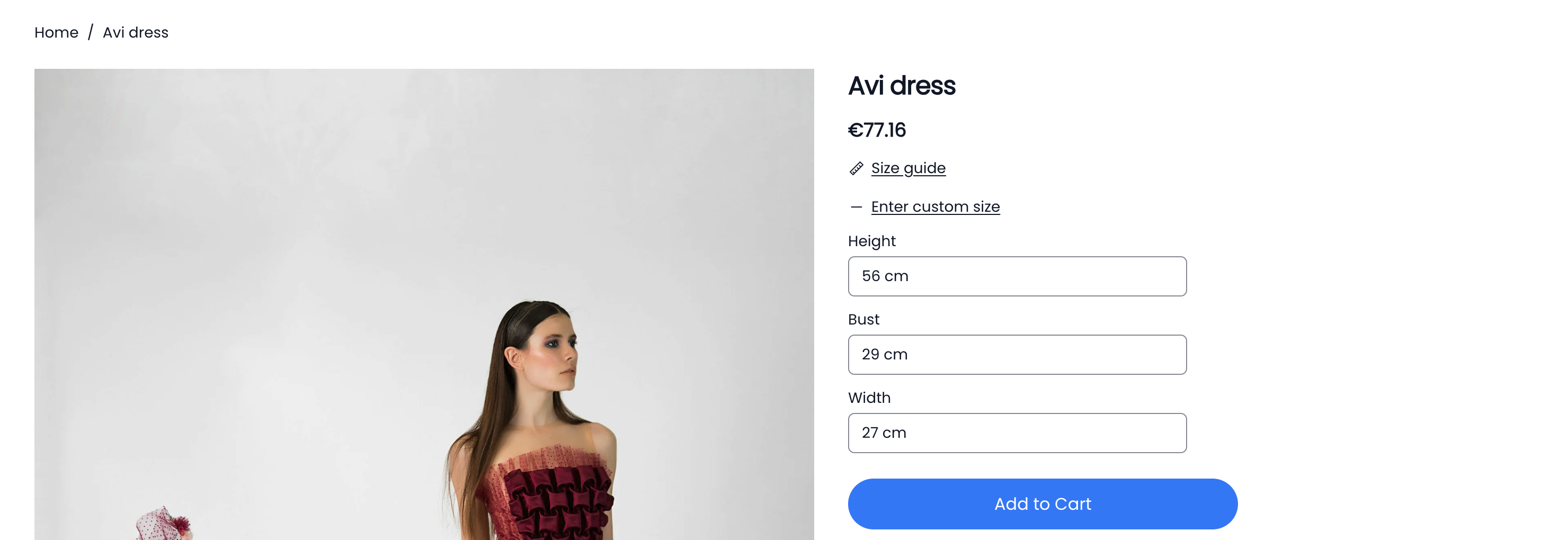
How it looks like when customer clicks to enter custom size. They can enter details and the add to cart
If filled, form information is also displayed in checkout, order email and your store's order details.
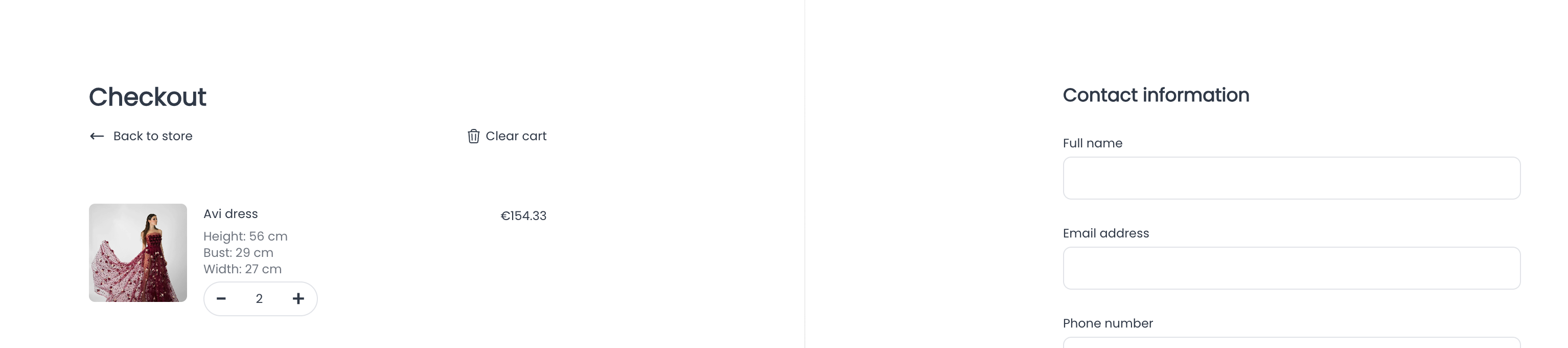
How it looks like on checkout