How to Create an Online Catalog for Your Small Business

Every small business that sells products needs a way for customers to browse what is available. That is what a catalog does, whether it is a PDF sent to a wholesale buyer, a flipbook linked from your website, or a fully shoppable online store that lets customers buy with one click.
The right format depends on who you are selling to and what you want them to do when they see your products. This guide covers both approaches, explains the difference between them, and gives you a practical step-by-step process for building an online catalog that works.
The most common mistake small businesses make with online catalogs is building a browsing experience when what they actually need is a buying experience. If you want customers to purchase, not just look, your catalog needs to let them do that directly.
What Is an Online Product Catalog?
An online product catalog is a structured, digital presentation of your products - their names, descriptions, photos, prices, and any relevant specifications. Its job is to give customers or buyers everything they need to make a purchasing decision, presented clearly and consistently.
Online catalogs come in two distinct forms, and choosing between them is the first decision you need to make:
Shoppable online store catalog
This is a product catalog built into your online store. Customers can browse your full range, filter by category, click on individual products, and add items to a cart and check out -- all in one seamless experience. This is the right format for B2C businesses (selling directly to individual customers) and any business where the goal is to convert a visitor into a buyer.
PDF or flipbook catalog
This is a designed document -- originally built in print catalog tradition -- converted to digital format. Customers or wholesale buyers can view, download, or browse it online, but they cannot purchase directly from within it. This format is more common in B2B contexts, where the catalog is sent to a buyer who then places an order separately. It is also used for lookbooks, seasonal collections, and wholesale price lists.
Online Store vs PDF Catalog: Which Do You Need?
For most small businesses selling to individual customers, an online store catalog is the right choice. It removes the friction between browsing and buying, and it works on every device without requiring the buyer to download or open a file. A PDF or flipbook catalog has its place -- particularly for wholesale buyers who want a document to share internally -- but it should complement a shoppable store, not replace it.
If a customer has to contact you separately to place an order after viewing your catalog, you are adding a step that reduces conversion. Every additional step between interest and purchase loses you a percentage of potential buyers.
How to Build a Shoppable Online Catalog With Vendroad
Building a shoppable online catalog with Vendroad (see vendroad.com/features) takes less than an hour for most small businesses. Here is the process step by step.
Step 1 - Choose a template
Start at vendroad.com/templates and select a theme that suits your product type and brand aesthetic. For a product catalog, you want a layout that puts your products front and centre. Customise the colours and fonts to match your existing brand identity.
Step 2 - Set up your product categories
Before adding products, decide on your category structure. Categories make your catalog navigable - without them, a large product range becomes a wall of items that buyers cannot efficiently browse. For most small businesses, two to four top-level categories is enough. Examples: by product type (prints, ceramics, textiles), by collection (summer 2026, bestsellers, new arrivals), or by use case (gifts under $50, for the home, for the studio).
Category structure matters for SEO too. A category page for 'handmade ceramic mugs' can rank in Google search results independently of your individual product pages, bringing in qualified traffic that is already looking for what you sell.
Step 3 - Add your products
For each product in your catalog, you need:
- A clear product name that includes what the item is (not just a product code or creative name without context)
- A description that covers what it is made from, what makes it special, dimensions or sizing, and any customisation options
- At least 2 to 4 photos - hero shot, detail shot, scale reference, and lifestyle or in-context shot
- Price displayed clearly in your selling currency
- Variants if you sell multiple sizes, colours, or options -- set these up as product variants rather than separate listings
- Stock status if relevant - buyers should know if an item is available before adding it to cart
Step 4 - Set your payment method
Connect Stripe or bank transfer through your Vendroad dashboard. This is what transforms your catalog from a browsing tool into a selling tool. Without payment connected, you have a display catalog - with it, you have a revenue-generating store. Test a complete order before you share the catalog with anyone.
Step 5 - Configure your catalog URL
Your catalog should live at a clean, memorable URL. You automatically get a .store default url with your store name (e.g shop.vendry.store). If you are on the Vendroad Starter or Pro plan, you can connect your own custom domain (e.g. shop.yourbusiness.com or yourbusiness.com).
Step 6 - Share and promote your catalog
Once live, your catalog URL is the link you put in every bio, every email, every product mention. Share it as:
- Your Instagram and TikTok bio link - a single link to your store is more effective than a link aggregator
- A direct link in email newsletters - 'browse our full range' with a link to your store homepage or a specific category
- In WhatsApp messages to existing customers and warm leads
- On printed materials - packaging inserts, business cards, market stall signage
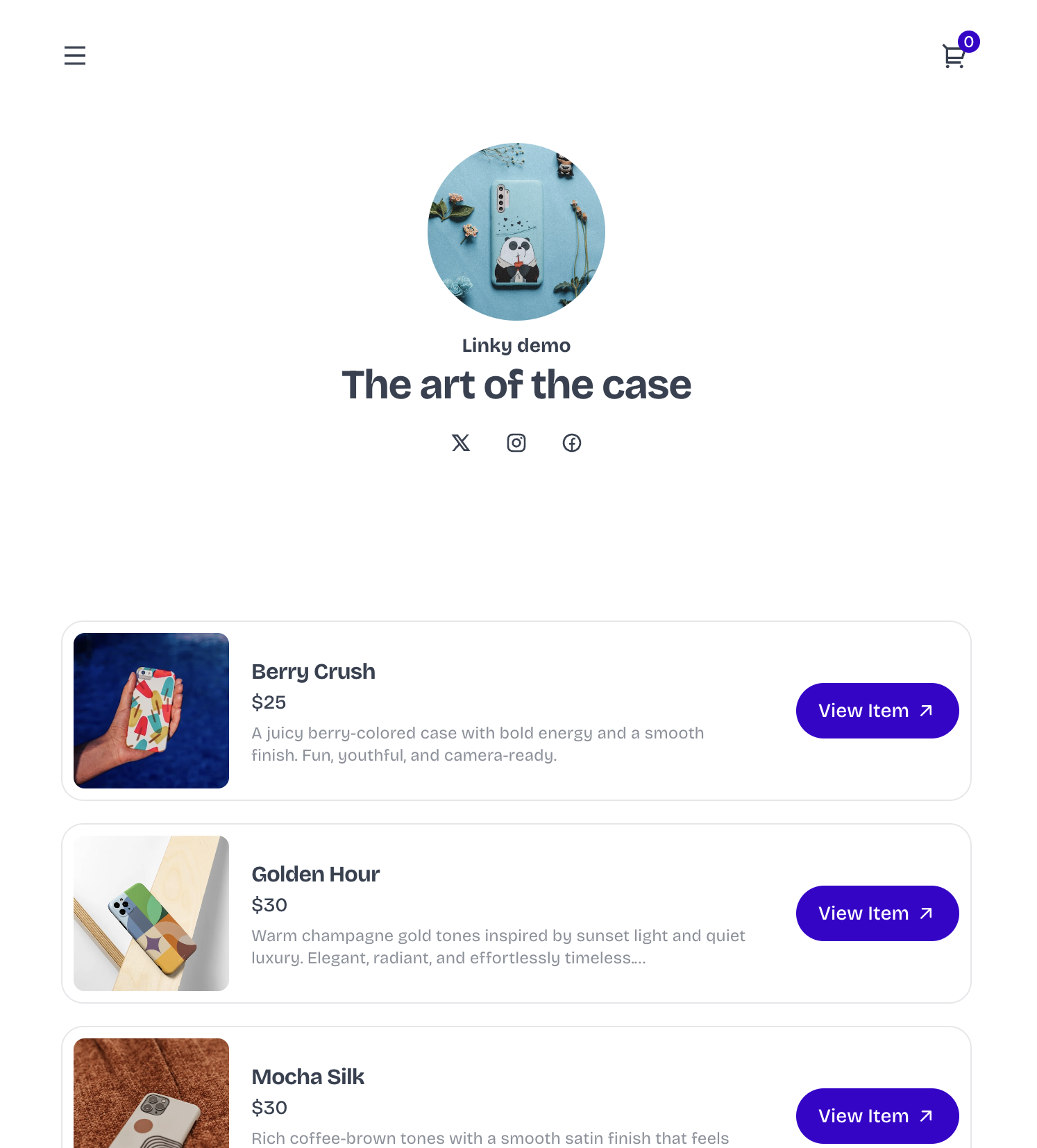
Sample of an online catalog created using Vendroad
When to Create a PDF or Flipbook Catalog
A PDF or flipbook catalog is the right tool when your buyer is not going to purchase online - either because they are a wholesale buyer placing large orders by invoice, or because they want a document they can save and share internally before making a decision.
Wholesale buyers often expect to receive a catalog before placing their first order with a new supplier. A well-designed PDF with your full product range, prices, minimum order quantities, and terms gives them everything they need to make a decision without a sales call.
What a good B2B catalog includes
- Brand introduction - a brief page introducing your business, your values, and your production process
- Full product range with clear product codes, names, descriptions, and wholesale prices
- Minimum order quantities and any tiered pricing for larger orders
- Lead times and production timelines
- Payment terms and shipping policy
- How to place an order - contact details, order form, or a link to your wholesale ordering portal
Tools like Canva are adequate for simple PDF catalogs if you have design skills. For more structured catalog production, Catalog Machine and Flipsnack both offer templates built for product catalogs.
A B2B PDF catalog and a B2C online store work best together, not as alternatives. Your store handles direct sales. Your PDF catalog handles wholesale enquiries. Both link to each other; the catalog includes your store URL, and your store has a wholesale enquiry page for buyers who want to discuss larger orders.
What Makes an Online Catalog Convert
The difference between a catalog that browsers leave and one that buyers return to comes down to four things:
Product photography
This is the most important variable. Products presented with clean, consistent, high-quality photography convert at significantly higher rates than those with inconsistent or low-quality images. Use a consistent background across your whole catalog - white, natural linen, or a brand-specific colour - so the overall look feels cohesive rather than assembled from different photoshoots.
Clear, specific product descriptions
A description that answers the buyer's likely questions before they have to ask them converts better than a vague one. For physical products, include dimensions, materials, weight if relevant, and care instructions. For handmade items, include the process, the batch size if it is limited, and anything that makes this item different from a mass-produced equivalent.
Logical category structure
Buyers who cannot find what they are looking for do not contact you to ask -- they leave. A clear category structure with no more than four to six categories at the top level, and intuitive product placement within them, keeps buyers browsing rather than bouncing.
Mobile-first design
The majority of traffic to most small business online catalogs arrives on mobile -- from social media links, bio clicks, and word of mouth. A catalog that is hard to browse on a phone is losing the majority of its potential buyers before they see your products. Vendroad's templates are mobile-optimised by default, so this is handled automatically.
Frequently Asked Questions
What is the difference between an online catalog and an online store?
An online catalog is any digital presentation of your products. An online store is a catalog with a built-in purchasing system: shopping cart, payment processing, and order management included. For B2C businesses, an online store is almost always the better choice because it removes the step between browsing and buying. A PDF or flipbook catalog is useful for wholesale buyers who prefer a shareable document.
How do I create an online product catalog for free?
Vendroad's free plan allows you to list up to 5 products with full payment processing and no platform transaction fee - giving you a functional shoppable catalog at no cost. For a PDF catalog, Canva has free templates suitable for simple product listings. The limitation of free tools is typically product count or design flexibility rather than core functionality.
What should be included in an online product catalog?
Every product in your catalog should have a clear name, a description that answers likely buyer questions, at least two product photos, a price, and any relevant variants. At the catalog level, you also need clear categories to make navigation intuitive, an about or brand page for context, and a contact or ordering method. For wholesale catalogs, add minimum order quantities, lead times, and payment terms.
How often should I update my online catalog?
An online store catalog should be updated whenever products are added, discontinued, or change in price. The advantage of a store catalog over a PDF is that updates are immediate and do not require reissuing a document. For seasonal businesses, a major update at the start of each season makes sense alongside smaller updates as new products are added.
Can my online catalog also serve as my website?
Yes. A Vendroad store functions as both your online catalog and your website. It includes product pages, category pages, brand pages, and contact information in one place. For most small product businesses, a well-built online store covers everything a separate website would do, with the added benefit of built-in purchasing capability.
Build an online catalog your customers can buy from
Vendroad gives small businesses a shoppable online catalog - clean templates built for product presentation, full payment processing, and no technical setup required. Start free with up to 5 products.
Start at vendroad.com/features