How to Set Shipping and Enable Pickup on Vendroad
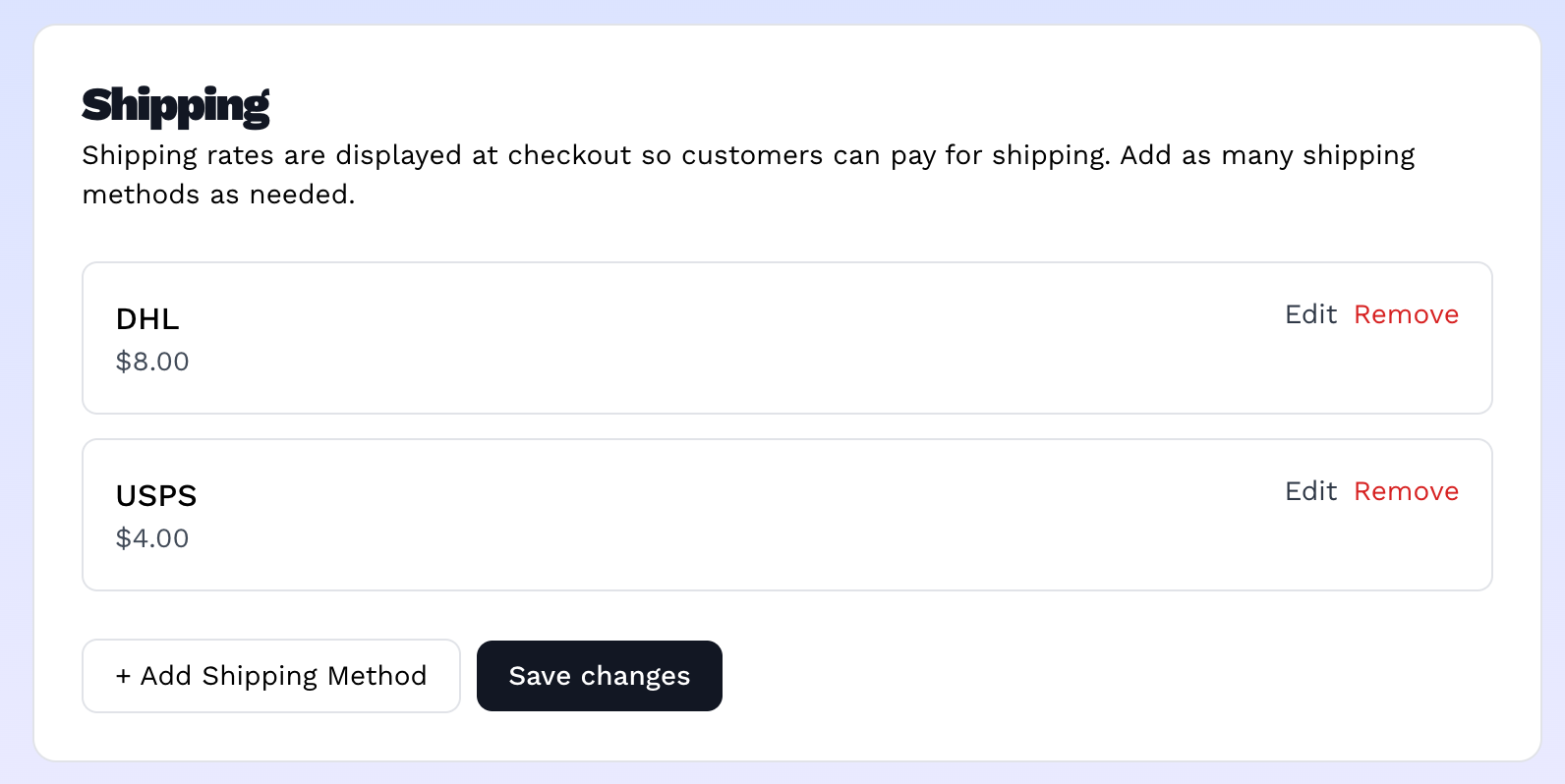
Vendroad lets you charge different shipping fees for different locations / shipping methods, and separately offer local pickup as an option. Customers see whichever ones you've set up at checkout.
Setting shipping locations or Methods
- Go to Store settings > Set shipping.
- Under Shipping, click + Add Shipping Method.
- Fill in two fields: - Shipping Method/Location e.g. "DHL" or use a location, e.g "Lagos" or however specific you want to get. - Fee: what the delivery charge for that location or method is.
- Click Add. Repeat for as many locations or shipping methods you offer.
- Click Save changes. This is important, adding, editing, or removing a location in the form only updates it locally until you click this button.
Heads up: if you save with zero shipping locations configured, shipping-based checkout is effectively disabled i.e customers won't have a shipping option to select. If you only want pickup, that's fine (see below), just know an empty list means customers won't be paying for shipping at checkout.
Enabling pickup
This is a separate section on the same page, right below Shipping.
- Toggle Enable Pickup on. Unlike shipping locations, this takes effect immediately, no separate save step for the toggle itself.
- Once enabled, click + Add pickup location and fill in: - Name: a label for the location (e.g. "Main Store," ). - Pickup address: where the customer actually goes. - Pickup instructions (optional): anything customers should know (opening hours, parking notes, etc.).
- Click Add location. Add as many pickup points as you have.
- Click to save changes when done.
Turning Enable Pickup back off doesn't delete your saved pickup locations, it just hides the option from checkout until you turn it back on.
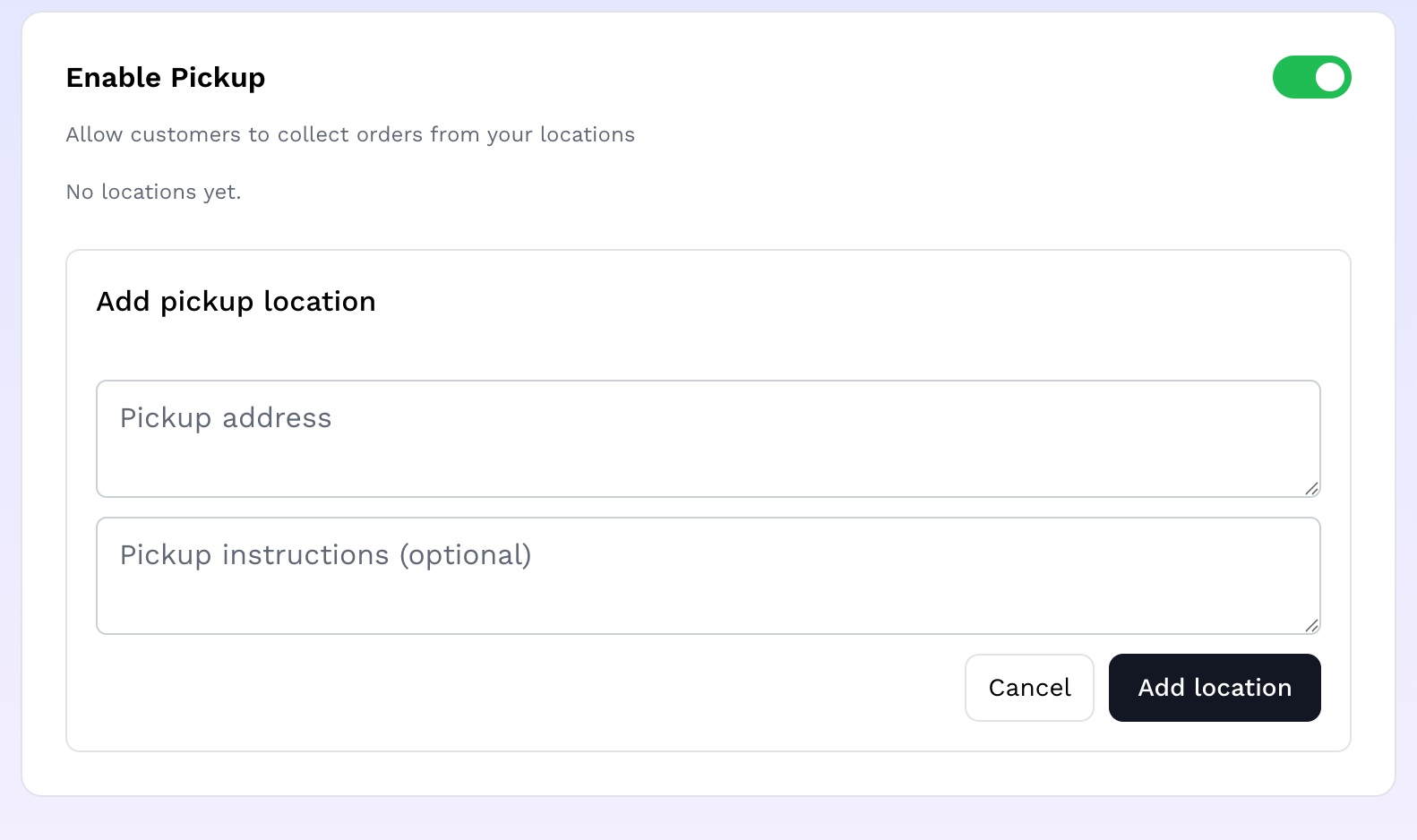
How to add pickup location
What customers see at checkout
Each configured shipping location and enabled pickup location becomes a selectable option at checkout, with its fee (free for pickup) shown alongside it.
If you haven't configured anything in one or both sections, that option simply doesn't appear; customers only ever see what you've actually set up and saved.
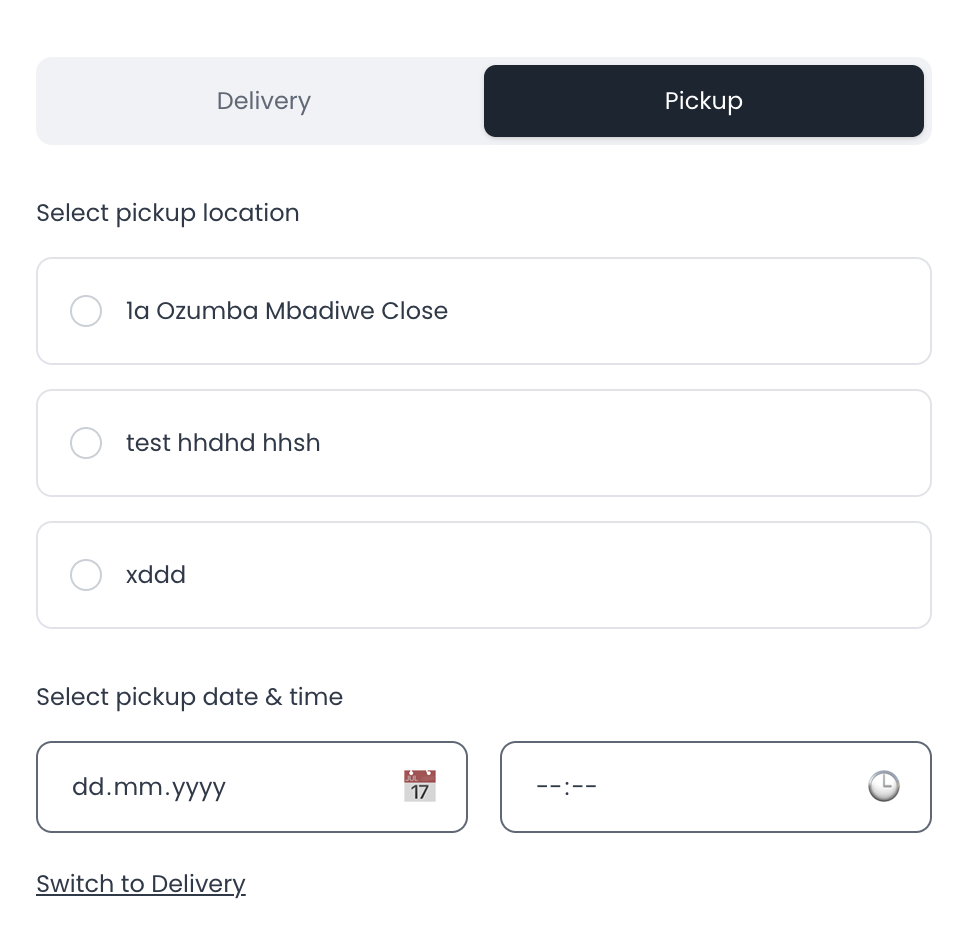
Customers see the pickup location(s) you've defined and can set pickup date and time