How to Start an Online Store With No Coding Skills
You've got a product worth selling. Maybe it's handmade jewellery, a clothing line, your artwork, or a service you've built from the ground up. But every time you think about starting an online store, the same thought stops you: "I don't know how to code."
Here's the thing, you don't need to. Not even a little bit.
Modern store builders have made the technical side completely invisible. If you can write a caption on Instagram, you can build an online store. This guide walks you through exactly how to do it, step by step, in under an hour.
Quick stat: Global e-commerce sales are projected to reach nearly $7 trillion by 2026. The window to start is wide open and the tools have never been simpler.
What You Actually Need to Start an Online Store
Before diving in, let's clear up a common misconception. Starting an online store does not require:
- A web developer
- Knowledge of HTML, CSS, or any programming language
- Knowing how to code with AI
- A big budget
- Weeks of setup time
What you do need is straightforward:
- A product or service to sell
- A few photos of your products (your phone camera is fine)
- A payment method — a bank account or an account with a card processor like Stripe
- About 30–60 minutes of focused time
That's genuinely it. Everything else is handled by your store builder.
Step-by-Step: How to Start Your Online Store
Step 1: Choose a no-code store builder
A store builder is a platform that handles the design, hosting, checkout, and payments for you. You just fill in the blanks. There are several options out there, but the key things to look for are:
- No technical setup required
- Mobile-responsive themes out of the box
- Built-in payment processing
- SEO-friendly structure so Google can find you
- Transparent, affordable pricing
Vendroad is built specifically for solopreneurs, artisans, and small business owners who want a professional store without the complexity or cost of platforms like Shopify. You can start for free with up to 5 products and upgrade only when you're ready.
Step 2: Sign up and pick a theme
Once you've chosen your platform, signing up takes about two minutes. After that, you'll be asked to choose a theme: a pre-built design that controls how your store looks.
Don't overthink this. Most themes are designed by professionals and look great out of the box. Pick one that feels closest to your brand's vibe, and remember: you can change colours and fonts without touching any code.
Vendroad's themes are optimised for conversion, meaning they're designed to turn visitors into buyers, not just look pretty.
Step 3: Add your products
This is the most important step. For each product, you'll add:
- A product name
- A description (more on how to write this well below)
- 1–5 photos
- A price
- Any variations — size, colour, style etc.
Take your time here. Great product photos and clear descriptions are the two biggest drivers of online sales. Natural light, a clean background, and a few different angles go a long way.
Step 4: Connect your payment method
Your store needs a way to take money. Most store builders connect directly to Stripe, which lets you accept credit and debit cards, Apple Pay, and Google Pay. The setup is a few clicks: you'll create a Stripe account (free), link it to your store, and you're ready to receive payments.
Vendroad also supports direct bank transfer for sellers in select countries, this is particularly useful if you're selling locally or to customers who don't use cards.
Step 5: Set your shipping options
You have a few choices here depending on your products:
- Flat rate shipping — charge a fixed amount per order
- Free shipping — build the cost into your product price
- Local pickup — great for makers who sell in their area
Keep it simple to start. You can refine your shipping strategy once you have orders coming in.
Step 6: Go live
Before you publish, run through this quick checklist:
- Does every product have a photo and a price?
- Have you tested the checkout flow yourself?
- Does the store look good on your phone?
When you're happy, hit publish. Your store is live.
Tip: Don't wait until everything is perfect. A store with 5 products live today will outperform a perfect store that never launches. You can always add more products and tweak the design later.
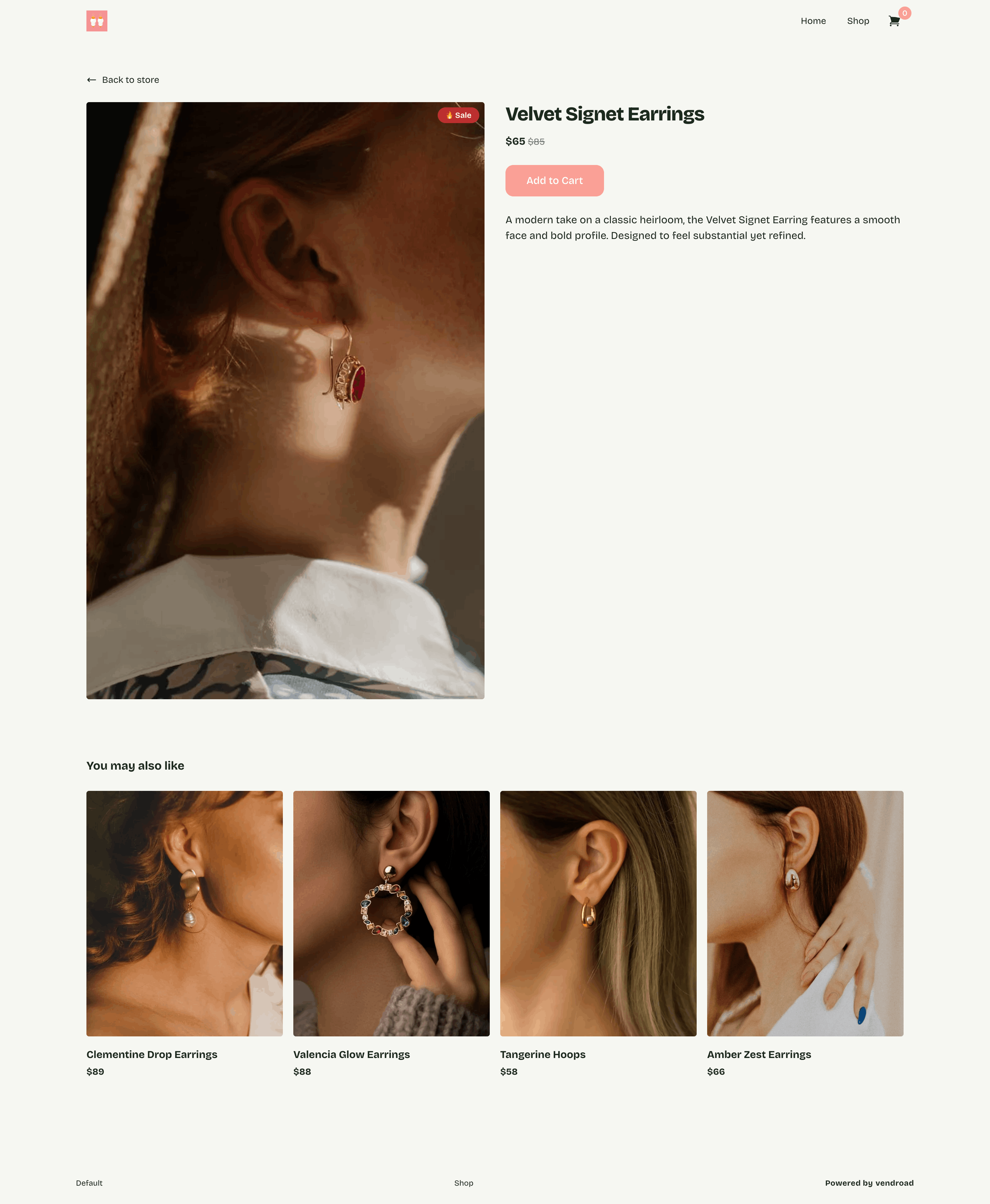
Sample of online store created using Vendroad
How to Write Product Descriptions That Actually Sell
Most first-time sellers either write too little ("Blue ceramic mug, 300ml") or too much (three paragraphs about their entire creative process). Neither works.
A good product description answers three questions a buyer is silently asking:
- What is it exactly, and what makes it special?
- Who is it for?
- What do I get when I buy it?
Keep descriptions concise, two to four sentences is usually enough. Lead with the benefit, not the feature. "Keeps your coffee hot for 6 hours" beats "double-walled stainless steel" every time.
Getting Your First Sale: What to Do After You Launch
Launching your store is step one. Getting your first sale is step two. Here's what moves the needle fastest for new stores:
- Share your store link in your Instagram, Tiktok and WhatsApp bio immediately
- Tell your existing network, a direct message to 20 people who know you is worth more than a post to 200 strangers
- Post a behind-the-scenes story of your store going live, people love the origin moment
- Add your store URL to every social media profile you have
- If you have an email list of any size, email them first
Don't wait for people to find you organically in the first week. Go to where your people already are and bring them to your store.
Common Mistakes First-Time Store Owners Make
A few things to avoid as you get started:
- Too few products at launch. Even 5–8 products gives buyers a sense of range. One product makes a store feel unfinished.
- Low-quality photos. This is the single biggest conversion killer. Even average products sell well with great photos. Great products sell poorly with bad ones.
- No clear way to contact you. Buyers want to know a real person is behind the store. Add an email address or WhatsApp number.
- Skipping the mobile check. Over 70% of online shopping happens on phones. Always preview your store on mobile before publishing.
- Waiting for perfection. Your first store will not be your best store. Launch it anyway.
Do You Need a Custom Domain?
Not immediately, but eventually, yes. A custom domain (like yourshopname.com instead of yourshopname.vendry.store) builds trust with buyers and is better for SEO.
With Vendroad's Pro plan, you can connect your own domain. It's a simple DNS change, no coding involved, and Vendroad's setup guide walks you through it step by step.
For your first few months, the default store URL is completely fine. Get your first sales, refine your product range, and then invest in a custom domain when you're ready to level up.
Frequently Asked Questions
Do I really need zero coding skills to start an online store?
Yes, completely. Modern store builders like Vendroad use pre-built themes. If you can type a product name and upload a photo, you have all the skills you need. There is no code involved at any stage of setup.
How long does it actually take to set up an online store?
Most sellers get their first store live in 10–30 minutes. If you have your product photos ready and a rough idea of your prices, the technical setup takes under 20 minutes. Writing product descriptions takes the most time, budget an extra 5–15 minutes per product.
What's the cheapest way to start an online store?
Vendroad's free plan lets you list up to 5 products with no monthly fee and no credit card required. You only pay when you need more products or advanced features. This makes it the lowest-risk way to test whether your products sell online before committing to a paid plan.
Can I start an online store with just my phone?
Yes. You can sign up, add products, upload photos, and manage orders entirely from your phone. Vendroad's dashboard is fully mobile-responsive, so you're never tied to a desktop.
What's the difference between an online store and just selling on Instagram?
Instagram is great for discovery, but it's a poor place to actually complete a sale. Buyers have to DM you, wait for a response, arrange payment separately, and trust that the item will arrive. An online store handles all of that automatically: browsing, checkout, payment, and order confirmation in one seamless flow. You spend less time managing orders and more time making products.
Ready to build your store?
Vendroad is built for artisans, creators, and solopreneurs who want a professional online store without the technical headache. Start for free, no credit card required.
Start your free store at vendroad.com →